Open and edit files using Visual Studio Code from Filezilla FTP Client on Linux
ID: 204
Category: Ubuntu
Added: 27th of October 2020
Updated On: Tutorial updated and rechecked on 10th of September 2025
Views: 41,785
Related Tips & Tutorials
➔
Install Microsoft Visual Studio Code in Linux Mint, Kubuntu, Ubuntu and Ubuntu based distributions. Compile and execute C++ script
Visual Studio Code is one of my favourite code editors. If you are using Filezilla and want to quickly edit a webpage using Visual Studio Code on Linux you need to change the following settings in Filezilla.
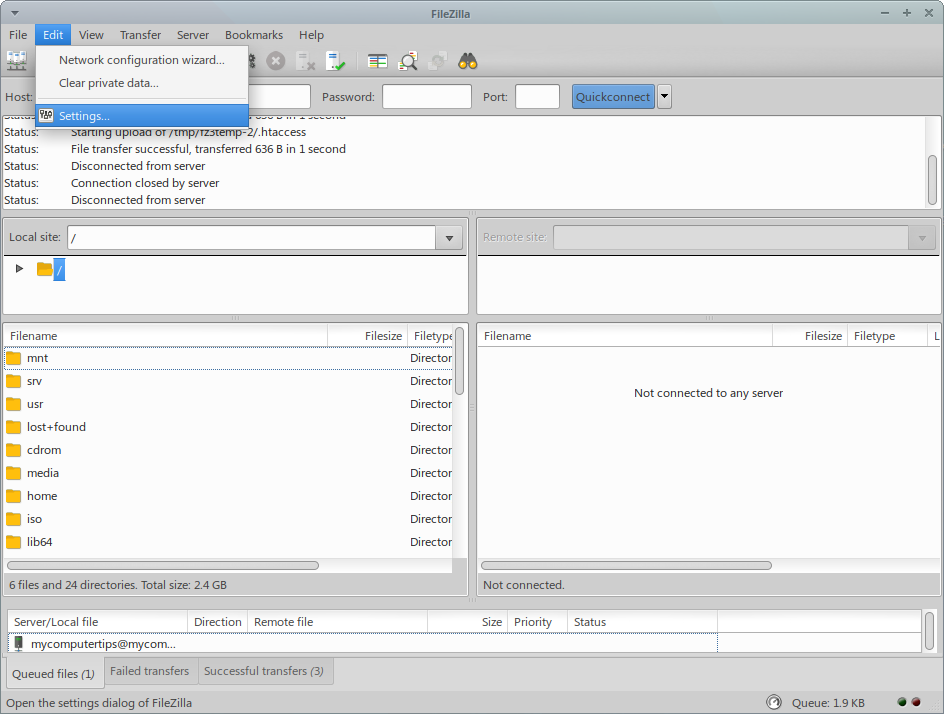
Open Filezilla and go to
Edit >
Settings
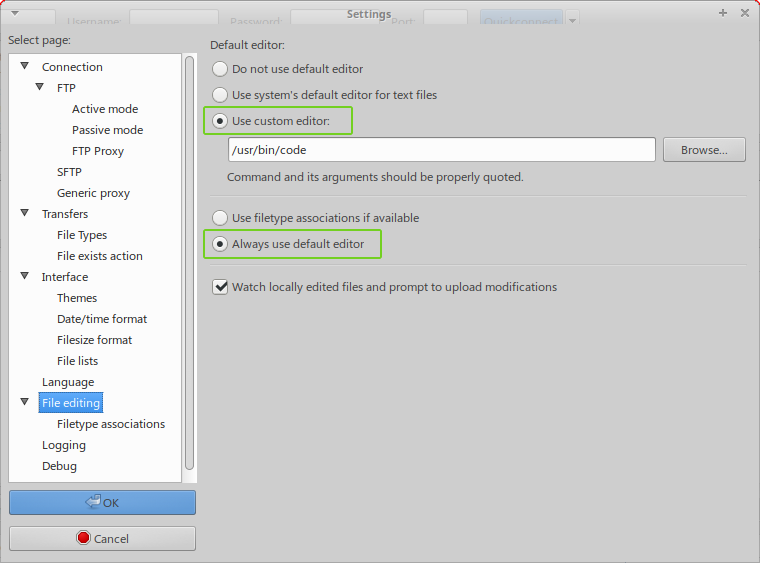
Click on
File Editing, and set the radio button to use Custom Editor
In the text field below you need to enter the full path to Visual Studio Code, this is usually found in the
/usr/bin/ directory, so you need to enter the following
/usr/bin/code
Next select the radio button Always use default editor and click OK to finalise the settings.
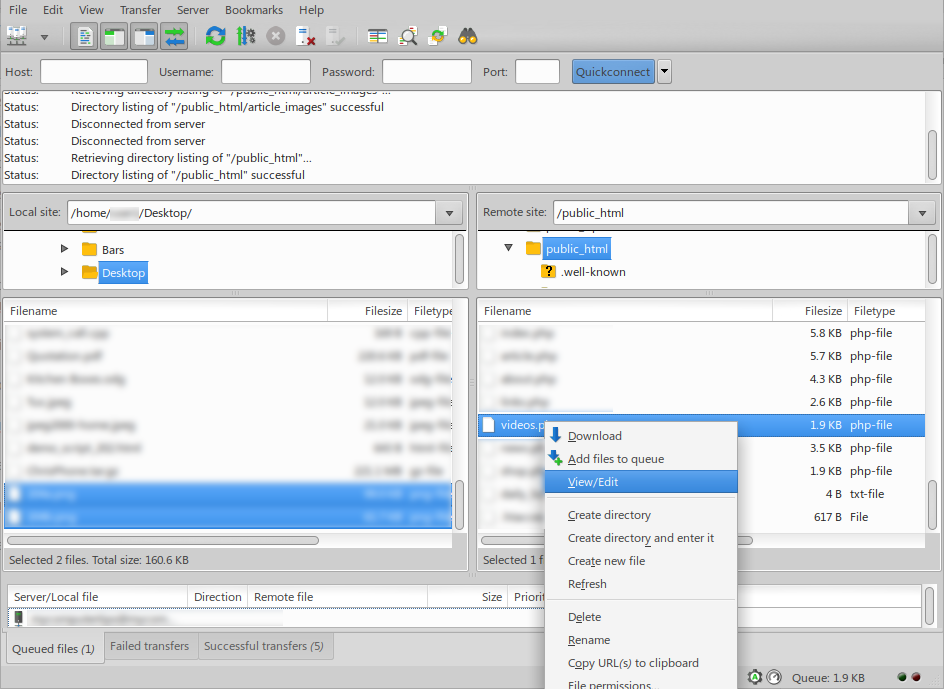
In Filezilla, right click on the file you wish to edit, and select view/edit from the context menu, this should then open the file in Visual Studio Code.