ID: 316
Category: Android
Added: 27th of August 2022
Updated On: Tutorial updated and rechecked on 18th of December 2025
Views: 1,740
If you have a large monthly data plan say 20-25 GB you should be fine, but if your like me and millions of other mobile users with smaller data plans you need to be very careful what websites you visit.
Visiting a few websites can easily see you eat up 30-40 MB of data in a matter of minutes, so we need to look at ways on how we can save some data.
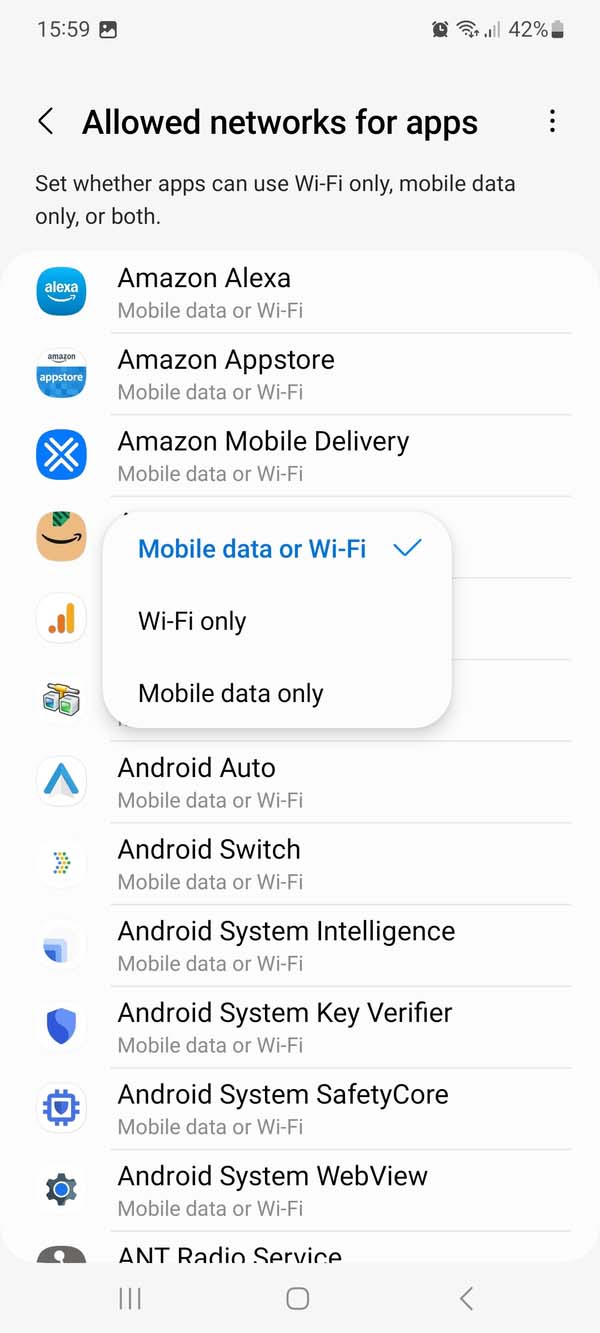
One thing you can do in Android is restrict what Apps use Mobile Data. To do this go to
Settings > Connections > Data Usage > Allowed networks for apps
Under Allowed networks for apps you will see what apps are installed on your device. From here you can select whether you want the app to access Mobile data or Wi-Fi, Wi-Fi only or Mobile data only